In plain English
A tool that builds you a polished email signature in under a minute. Add your details and photo, see how it looks on phone and computer, then paste it straight into Gmail. Everyone on the team ends up looking consistent.
End-to-end · Solo build
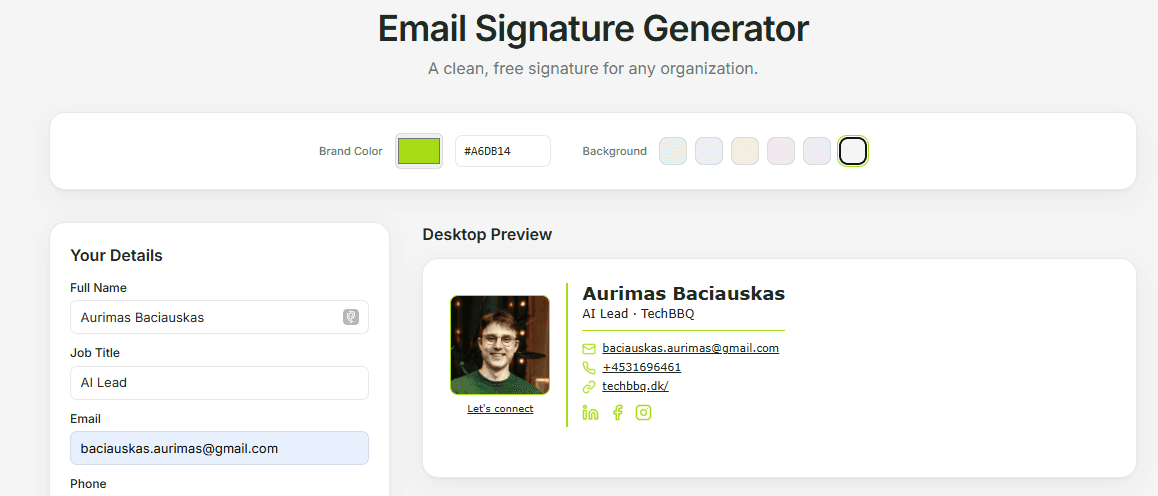
Email Signature Generator
A self-serve email signature builder. Started as an internal TechBBQ tool with locked brand defaults, now an unlocked template anyone can use. Brand-color picker, photo upload, live desktop and mobile previews, copy-and-paste straight into Gmail.
Try it
Generate a signature in 60 seconds
Free, no signup, works in any browser. Copy the result straight into Gmail.
By the numbers
Live since
Jan 2026
Internal TechBBQ use
Made public
May 2026
Open to anyone now
Used by
Whole team
Entire TechBBQ org
Stack cost
Free
Vercel + imgbb free tier
Why I built this
Every new TechBBQ teammate used to ask the design team for a signature. Every existing one drifted off-brand the moment they edited theirs. The brand-consistency cost was real and the designer-time cost was annoying.
The internal version, shipped January 2026, locked TechBBQ brand values (address, website, socials, brand icons) behind a collapsible details element. Personal fields editable, brand fields fixed. Both costs solved.
May 2026 I unlocked it and shipped to the public. Generic placeholders replaced the TechBBQ defaults, a brand-color picker with hex sync plus six background swatches let any org match their identity, and signature-builder UX is universally bad, so someone might find it useful as a template.
How it works
Fill in your details
Name, job title, email, phone, personal LinkedIn. Company defaults (address, website, social URLs) are pre-filled and tucked into a collapsible section.
Upload and crop a photo
Cropper.js modal lets you square-crop and adjust brightness and saturation. The cropped image uploads to imgbb (free public CDN, no backend needed) and the returned URL embeds directly in the signature HTML.
Add an optional message and link
Free-text message field with an inline 'Add link' helper that prompts for link text and URL, then splices a styled anchor into the textarea.
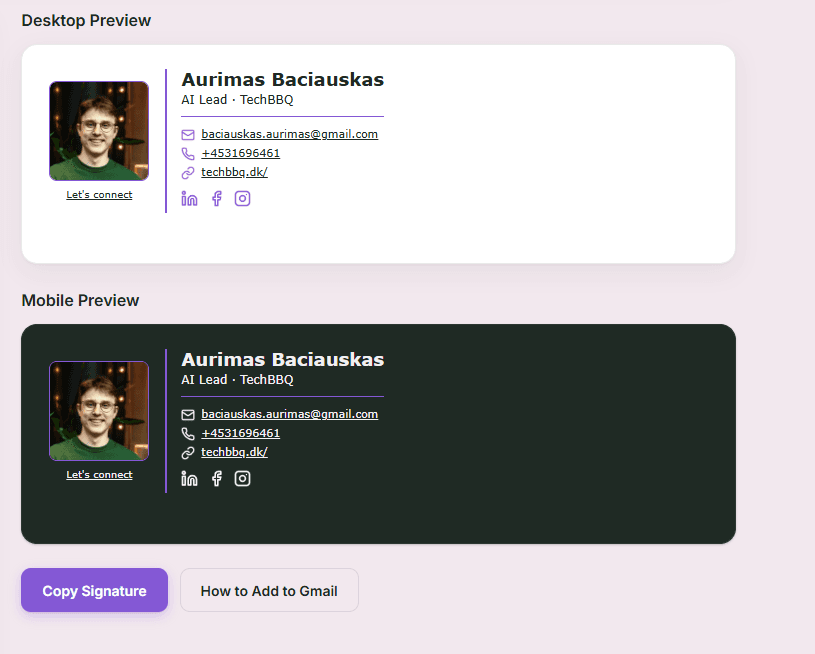
Preview live, desktop and mobile
Two preview panes update on every keystroke. One renders the desktop layout, the other a 360px mobile width with adjusted column stacking.
Copy and paste into Gmail
Copy button uses navigator.clipboard.write with text/html, falls back to writeText for older browsers. A button-triggered Gmail walkthrough modal shows exactly where to paste it.
Key features
Brand-color picker
Pick any hex value, syncs live across the form and both previews. Match your org's identity in one click.
Background swatches
Six pastel backgrounds let you preview the signature against different inbox backdrops before sending
Crop + filters in-browser
Cropper.js square crop with live brightness and saturation sliders applied before upload
imgbb photo upload
Free anonymous public CDN, no auth, no backend. Returned URL embeds straight into the signature HTML.
Self-contained icons
Lucide social icons rasterized to PNG in-browser via canvas, so the signature has no external icon-CDN dependency. Survives client-routing quirks.
Dual desktop + mobile preview
Two simultaneous previews so users see how the table collapses on a 360px-wide screen before sending
Tech stack
Frontend
Single-file static site, Tailwind via CDN, no build step. Ships to Vercel free tier.
Photo CDN
Free anonymous public CDN for cropped photo uploads, returns a public URL that embeds in the signature HTML. No custom backend, no auth.
Output format
Table-based HTML with inline styles, the only format that renders consistently across Gmail, Outlook, and Apple Mail. Lucide social icons rasterized to PNG in-browser so the signature has no external icon-CDN dependency.
Under the hood
The whole thing is a single lightweight page with no server behind it, so it loads instantly and costs nothing to keep running.
Your photo and your social icons are baked right into the finished signature, so it still looks correct months later even if some outside service goes down.
Brand & creative
Marketing posters and animated creative
Two brand posters and an animated 9:16 creative generated with Pomelli, Google's AI brand toolkit. Targeting the "upgrade from Sent from my phone" market.
 Brand poster
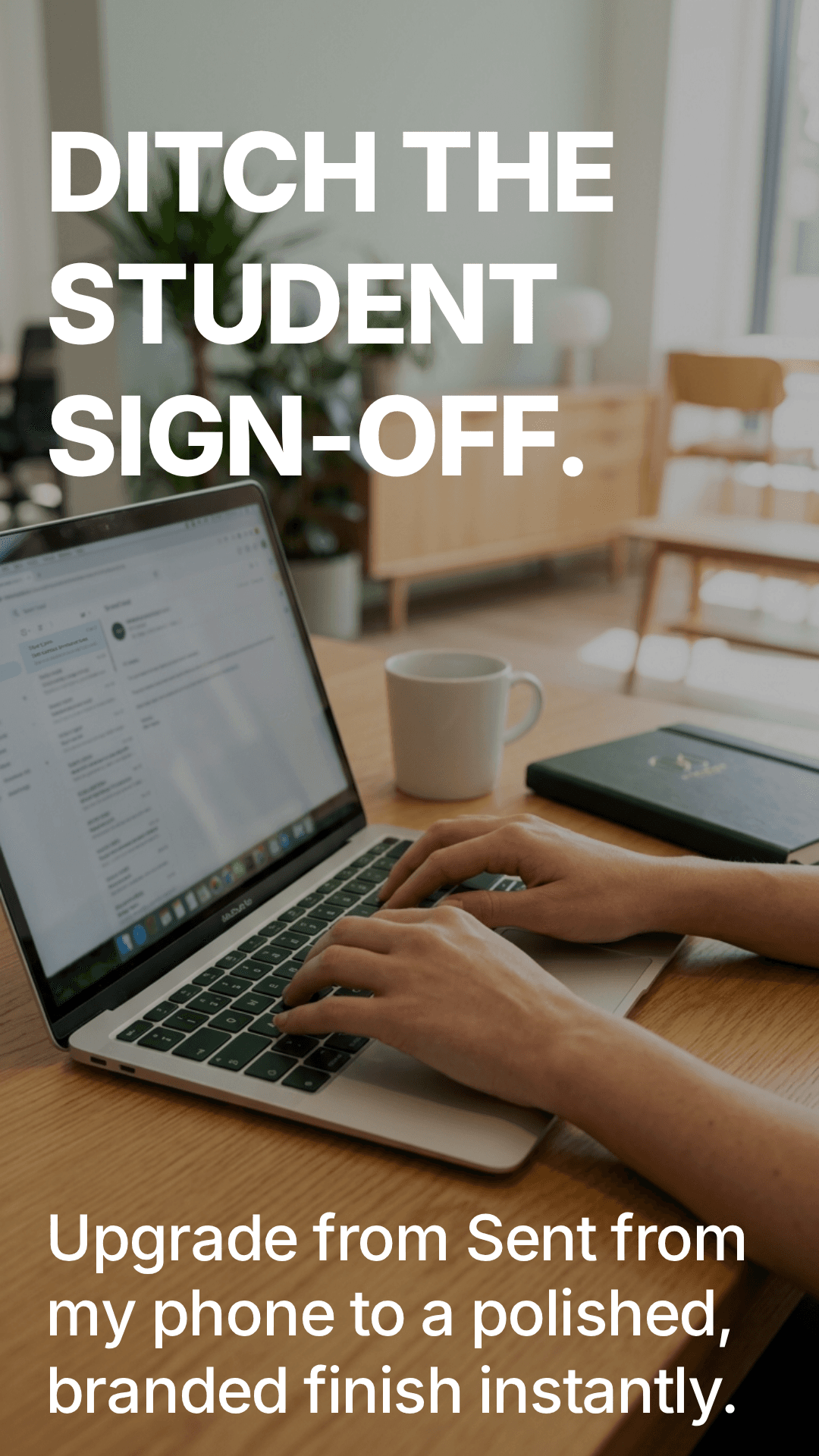 Value prop
Set it up in Gmail
Three steps from generated signature to live in Gmail
The tool ships with an in-app walkthrough modal, but here's the short version.
Copy
Hit the Copy button. The rich HTML version goes onto your clipboard, with a plain-text fallback for older clients.
Open Gmail settings
Gear icon → See all settings → General tab → scroll to Signature → Create new.
Paste and save
Paste into the signature editor. Set your defaults for new mail and replies. Save changes.
Common questions
Is it free?+
Yes. No signup, no paywalled features. Just open the site, fill in the form, copy the result.
Do I need a TechBBQ email to use it?+
No. The locked defaults are TechBBQ-branded because that's who I built it for, but every field is editable. Anyone can use it as a starting point for their own brand.
Why HTML tables and not modern CSS?+
Email clients are stuck in 2005. Div + flexbox layouts get destroyed by Gmail's renderer. Tables with inline styles are the only thing that renders consistently across Gmail, Outlook, and Apple Mail.
Where does my photo end up?+
Photos upload anonymously to imgbb, a free public CDN. The returned URL embeds into your signature so recipients pull the image from imgbb's servers. Nothing touches my servers because the project has no backend.
Does it work in Outlook and Apple Mail?+
Yes. Table-based HTML with inline styles is the most compatible signature format. Tested in Gmail, Outlook (web + desktop), and Apple Mail. Lucide icons are baked into the HTML as PNGs so they survive even when external icon CDNs are blocked.
Can I match my own brand color?+
Yes. The brand-color picker accepts any hex value and propagates it live across the form and both previews. Six pastel background swatches let you check how the signature looks against different inbox backdrops.
What I learned
- ·Locking the brand details so people cannot easily change them is the real feature. Everyone stays on brand, and the design team stops getting the same request over and over.
- ·Shipping it inside TechBBQ first, then opening it to everyone, was the right order. The team quietly found the rough edges before any stranger ever saw it.
- ·Email looks the same everywhere only if you build it the old-fashioned way. Fighting that fact wastes time, so I leaned into what actually works across Gmail, Outlook, and Apple Mail.
What's next
Honest roadmap. Things I know are gaps, in priority order.
Saved org presets
Today every visitor starts from generic placeholders. A small admin layer where an org could save its brand color, defaults, and socials once and share a sub-URL would turn this from a one-shot template into a real lightweight product.
Self-hosted photo CDN option
imgbb is great for casual use but security-conscious orgs won't want to drop staff photos on a public CDN. Optional bring-your-own S3 / Supabase Storage URL would unlock that audience.
More social platforms
Currently supports LinkedIn, Facebook, Instagram. Threads, Bluesky, TikTok, GitHub, and personal-site icons are easy additions but I haven't needed them yet.
Dark-mode signature variant
Gmail dark mode breaks coloured backgrounds and some logo SVGs. A second auto-generated variant with dark-mode-safe styles would solve it for clients that respect prefers-color-scheme.